
You can log the Director Console users out of their sessions and invalidate all the API tokens generated by them from Sessions. You can invalidate the sessions and API tokens of users configured using LDAP and ADFS authentication. To know more about configuring LDAP authentication and ADFS authentication, go to LDAP Authentication and ADFS Authentication.
To invalidate a user session:
Log into the Director Console as the root user.
Click USER MANAGEMENT from the navigation menu.
Click Sessions.
Click the ( ) icon on a user in the users list. It logs the user out from all the sessions and invalidates all the API tokens generated by the selected user.
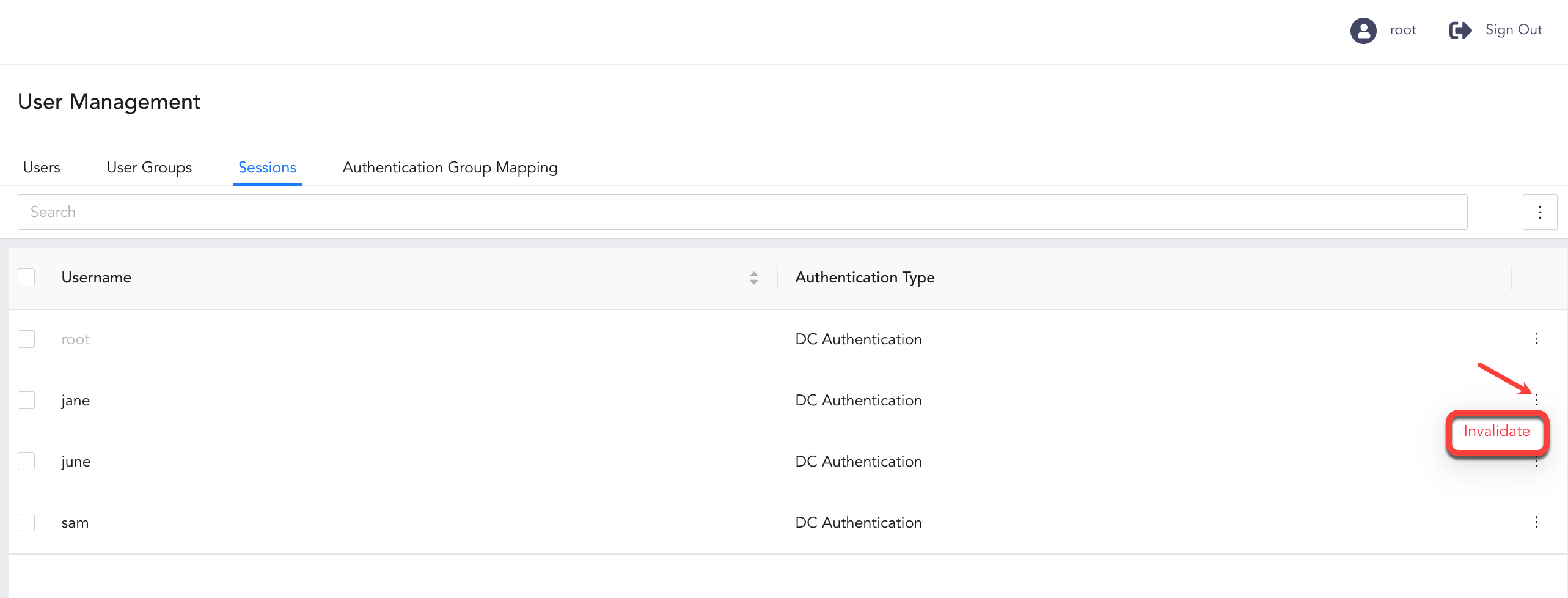
User Sessions List from Root User’s View
Click Invalidate.